How to Find Camera Settings From a Photo
On this page
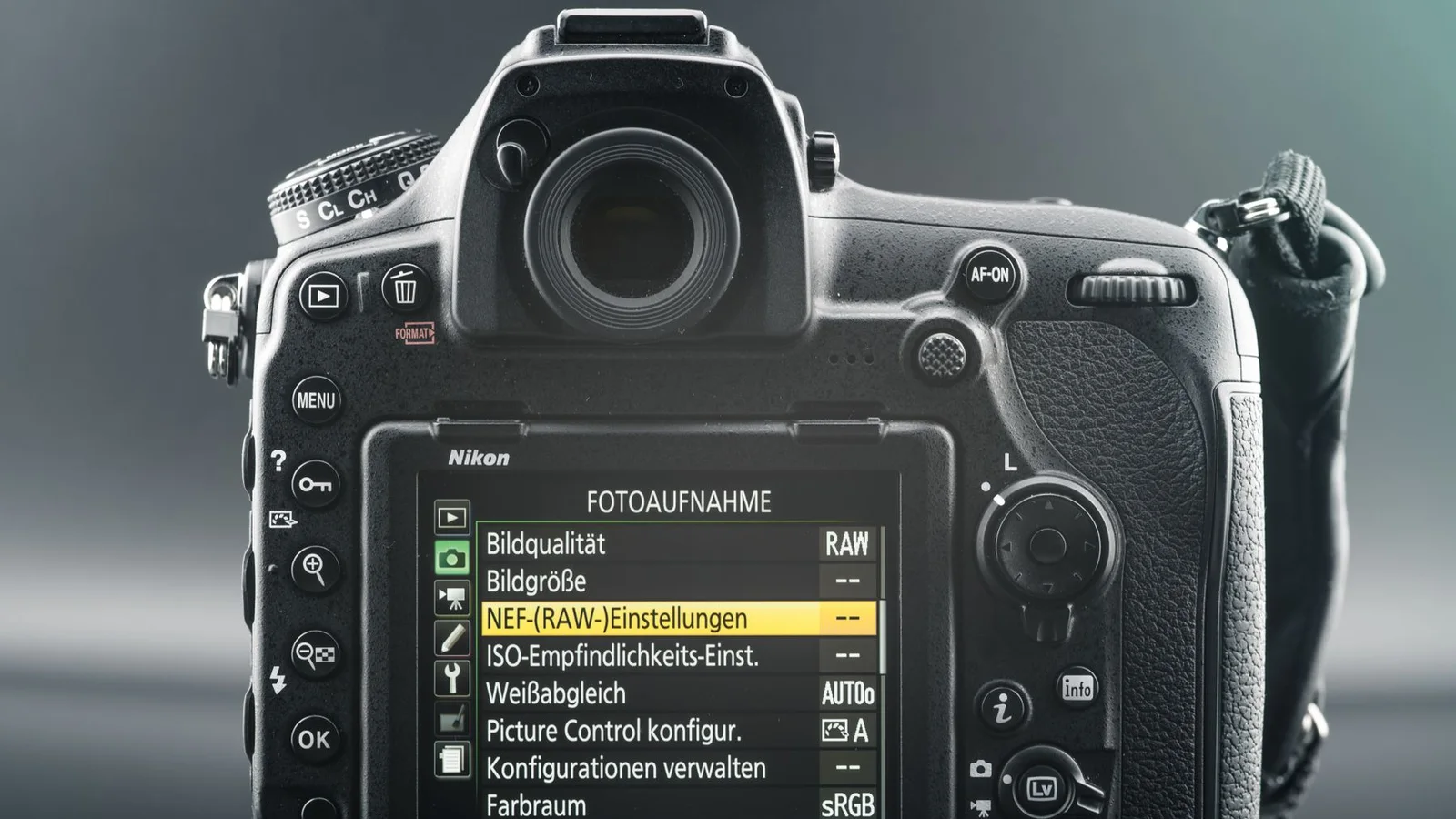
To find camera settings from a photo, inspect the original image file and read its EXIF metadata. Look for the camera model, lens, ISO, aperture, shutter speed, and focal length. If you only have a screenshot, an edited export, or a photo downloaded from social media, those settings may already be gone.
The useful distinction is simple: reading EXIF gives you settings the camera wrote into the file. Looking at the picture and guessing does not.
How do you find camera settings from a photo?
Open the original file in a metadata viewer, then search for ISO, FNumber, ExposureTime, FocalLength, Model, and LensModel.
Drop the photo into the Image Metadata Viewer. The report stays in the current browser tab and groups the readable fields, so you do not have to hunt through a wall of tag names. Start with the camera and exposure sections, then search the native fields if one value is missing from the summary.
Use the closest thing to the camera original. A JPEG copied straight from an SD card is useful. A screenshot of that JPEG is not. A photo saved from a chat may be a newly compressed copy with a much smaller metadata record.
This is a common, practical request rather than a niche forensics exercise. In one r/AskPhotography thread, a user wanted a single app that showed the camera, ISO, aperture, and shutter speed. That is exactly what EXIF viewers are for—provided the file still carries those fields.
Which EXIF fields contain the camera settings?
The main fields are Make, Model, LensModel, ISO, FNumber, ExposureTime, FocalLength, and ExposureProgram.
| EXIF field | What it usually tells you |
|---|---|
Make / Model |
Camera manufacturer and model |
LensModel |
Lens name recorded by the camera |
ISO |
Sensor sensitivity setting |
FNumber |
Aperture, such as f/2.8 or f/8 |
ExposureTime |
Shutter time, such as 1/250 s |
FocalLength |
Lens focal length used for the shot |
ExposureProgram |
Manual, aperture priority, shutter priority, or another mode |
ExposureCompensation |
Intentional brightening or darkening set by the photographer |
Flash |
Whether the camera reported that flash fired |
Some viewers rename the same idea. Aperture may appear as FNumber or ApertureValue; shutter speed may appear as ExposureTime or ShutterSpeedValue. Those pairs are related, but they are not always formatted the same way. A good viewer keeps the original field name available when the friendly label feels vague.
If these terms are new, our guide to what EXIF data is explains where the fields sit inside a photo without turning it into a file-format lecture.
Where can you view settings on a phone or computer?
Use the photo Info panel for a quick check, or inspect the original file in a full viewer when the built-in panel leaves fields out.
On iPhone, open Photos, swipe up, or tap the i button. On many Android phones, open the picture in Google Photos or the gallery app and swipe up or choose Details. Windows can show a subset under Properties > Details. On Mac, Preview’s Tools > Show Inspector usually exposes more camera EXIF than Finder.
These panels are convenient summaries. They may show ISO and aperture but hide the lens, serial number, maker notes, or exposure compensation. The iPhone EXIF guide, Android EXIF guide, and Mac photo metadata guide cover the exact built-in steps without repeating them all here.
How can you check settings across many photos?
Use a browser or catalog view that keeps the key EXIF fields visible while you move from one image to the next.
Opening a separate Properties window for every frame gets old quickly. That frustration appears in an r/AskPhotography request for a Windows image browser that shows f-stop, shutter speed, and ISO. Photographers reviewing a burst or comparing practice shots often care more about fast side-by-side reading than about every obscure tag.
For a handful of files, inspect each original and note the fields you want to compare. For a large library, use a photo catalog or desktop browser that can place EXIF columns beside thumbnails. Do not export new copies just to organize them; a fresh export can change the very metadata you are trying to compare.
Why are the camera settings missing?
The selected copy may never have had camera EXIF, or an app may have removed it while resizing, editing, exporting, or uploading the image.
Screenshots are new files, so they usually do not inherit the source photo’s camera settings. Scans come from a scanner, not the camera that made the print. Some editors keep EXIF; others write only dimensions, color information, and software. Social and messaging services often create delivery copies that are smaller than the original.
Also check whether the viewer is the problem. In another r/AskPhotography discussion, users asked for the best app to see ISO, aperture, and lens data. Different apps expose different subsets. Before declaring the data gone, check the same exact file in a full viewer.
Our broader guide to checking image metadata helps separate a missing field from a field that the current app simply does not display.
Can you recover settings after EXIF was removed?
Usually no—the deleted EXIF values are not reconstructed by opening the picture in a different viewer.
Look for another copy instead: the camera card, a cloud original, a photo-library original, or the sender’s uncompressed file. A thumbnail, screenshot, or social download cannot point back to the lost tag record. If you edited the photo, check whether the editor preserved an original beside the exported version.
RAW files may have richer camera records than exported JPEGs, but a RAW converter can also choose what it writes into the output. Compare the files; do not assume the smaller copy contains everything the source did.
Can you infer camera settings from the pixels alone?
You can make a rough guess, but pixels cannot reliably reveal one exact ISO, aperture, and shutter-speed combination.
Motion blur may suggest a slower shutter, but subject speed, panning, stabilization, and editing all change the result. Shallow depth of field may suggest a wide aperture, but focal length, camera distance, sensor size, and software blur matter too. Visible noise does not map neatly to ISO after denoising, sharpening, resizing, or heavy compression.
In other words, several different setups can produce a very similar picture. Treat a visual estimate as photography advice, not recovered metadata. If someone claims an exact 1/320 s, f/2.8, ISO 1600 from pixels alone, ask to see the original EXIF.
Why can two apps show different settings?
One app may read a short standardized summary while another also reads maker notes, XMP, or values derived from the native tags.
A viewer might display 1/250 while another writes 0.004 seconds. Those are the same exposure time. One may report the physical focal length; another may also calculate a 35 mm equivalent. Camera-specific maker notes can include focus mode, stabilization, metering, or lens details that a simple file-properties panel ignores.
Differences do not automatically mean one app changed the photo. Check the field labels and the file hash before comparing the values. Most arguments disappear once everyone is looking at the same copy and the same tag.
How do you use the settings to learn from a photo?
Read the settings as clues about the photographer’s trade-offs, not as a recipe that will reproduce the picture anywhere.
A fast shutter may have frozen movement. A wide aperture may have helped in low light or reduced depth of field. A higher ISO may have kept the shutter fast enough to avoid blur. Focal length tells you about the lens setting, but not the shooting distance or crop applied later.
The best comparison is between your own similar frames. Keep the subject and light roughly consistent, then see what changed when you adjusted one setting. Copying a stranger’s numbers without their light, distance, lens, and timing is less useful than it sounds.
Compare equivalent settings before treating them as a mismatch
Keep the tag name and unit beside each value. ExposureTime of 0.004 seconds and a displayed shutter speed of 1/250 second describe the same duration. FNumber is an f-number; do not compare an unconverted ApertureValue directly with it. Physical focal length and a 35 mm equivalent are different measurements.
If an ordinary camera field and a maker-note field disagree, retain both and identify their sources. A digital crop, composite image or edited export may explain a difference, but the metadata alone does not establish that explanation. Record an unavailable lens as unknown rather than inferring a specific lens from focal length.
Should you remove camera settings before sharing?
Camera settings are rarely the biggest privacy risk, but the same file may also contain GPS, owner names, device IDs, or a serial number.
Run the outgoing copy through the Image Privacy Checker before you post it. If the report finds details you do not want to share, make a duplicate with the Image Metadata Remover and inspect the cleaned result again.
Keep your original. Its capture settings can be genuinely useful when you sort a library or learn from an old shoot. The point is not to erase every field on sight; it is to know what the exact file is carrying before it leaves your device.
Frequently asked questions
Can you find camera settings from any photo?
No. You can read the settings when the selected file still contains the relevant EXIF fields. Screenshots, social-media downloads, edited exports, and scanned images often have incomplete or no camera EXIF.
Where are ISO, aperture, and shutter speed stored?
They are usually stored in EXIF as ISO, FNumber or ApertureValue, and ExposureTime or ShutterSpeedValue. The exact labels depend on the viewer and camera.
Can you recover camera settings without EXIF?
Not exactly. You may make a rough visual guess, but different combinations of ISO, aperture, shutter speed, lighting, editing, and stabilization can produce similar pixels.
Why does a social-media photo have no camera settings?
The service may resize or re-encode the upload and omit the original EXIF. Ask for the original file or a file attachment if the settings matter.
Can EXIF identify the exact camera?
EXIF may name the camera make, model, and lens. Some files also contain a serial number, but that field is not always recorded and may have been removed or edited.
Keep reading
See all guides
How to Check Metadata of an Image
Open the exact image file in a metadata viewer to check its camera details, capture date, GPS, software, author fields, and other embedded records.
Read the guide
What Is EXIF Data?
EXIF can record the camera, lens, exposure, capture time, orientation, software, and sometimes GPS inside a photo. Here is what those fields mean in plain English.
Read the guide
How to View Photo Metadata on Mac
Use Finder for a quick file summary, Preview or Photos for camera details, and a full metadata viewer when macOS leaves out EXIF or GPS fields.
Read the guide